Press
ParentSEE for reviewers
Everything you need to understand and test ParentSEE in ten minutes.
ParentSEE in one paragraph
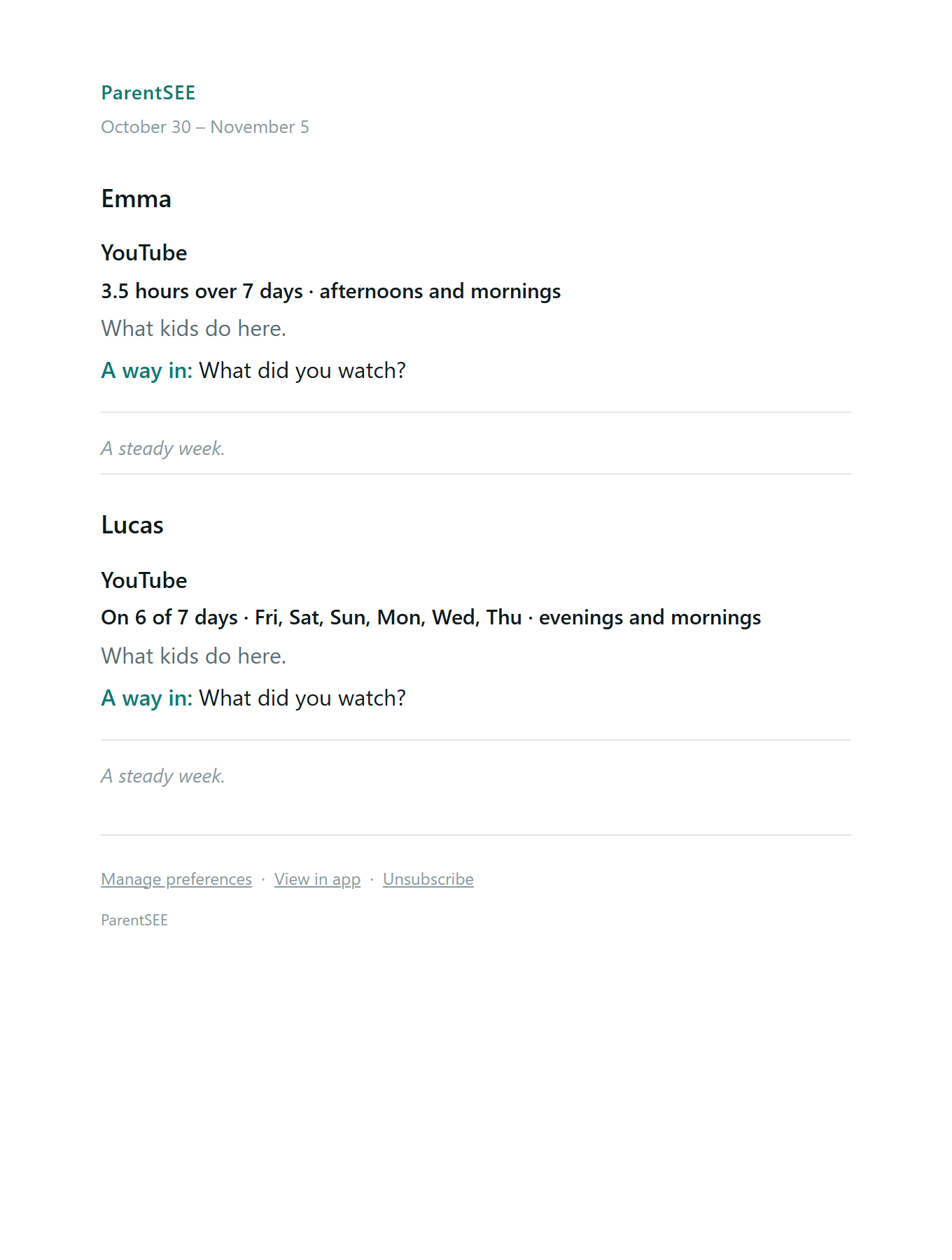
ParentSEE shows you the names of the apps and websites your child's devices reach, and when. Think of it like seeing the street addresses your child visits, without knowing what happens inside. On Android, the ParentSEE app also tells you how long each app was actually open. Every Sunday, ParentSEE sends one short email about each child's week: what we noticed, and when it's worth it, one gentle question you could ask. Available in the United States.
Our mission: Give visibility to parents while creating trust.
What it is, and what it never does
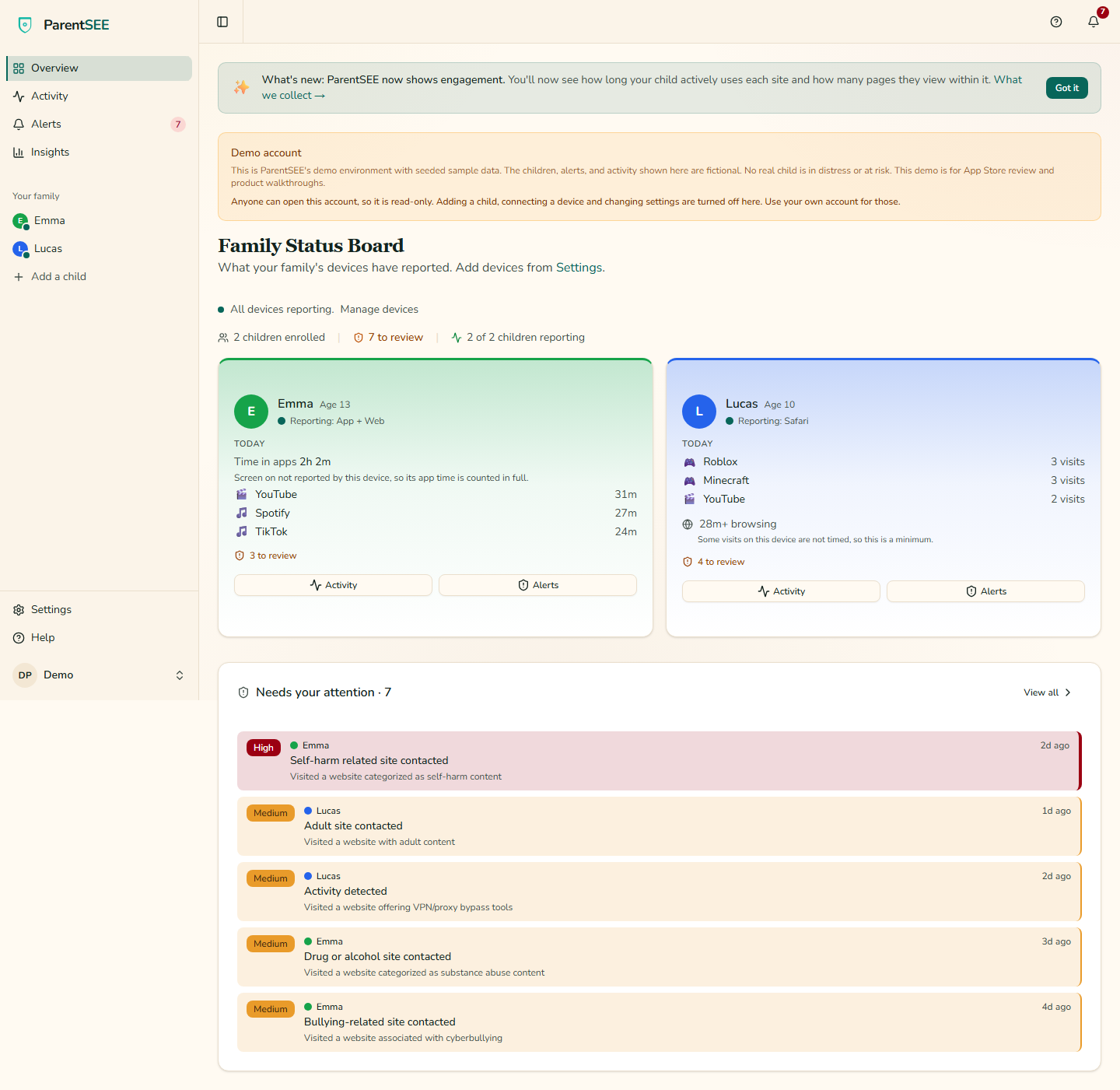
What parents see
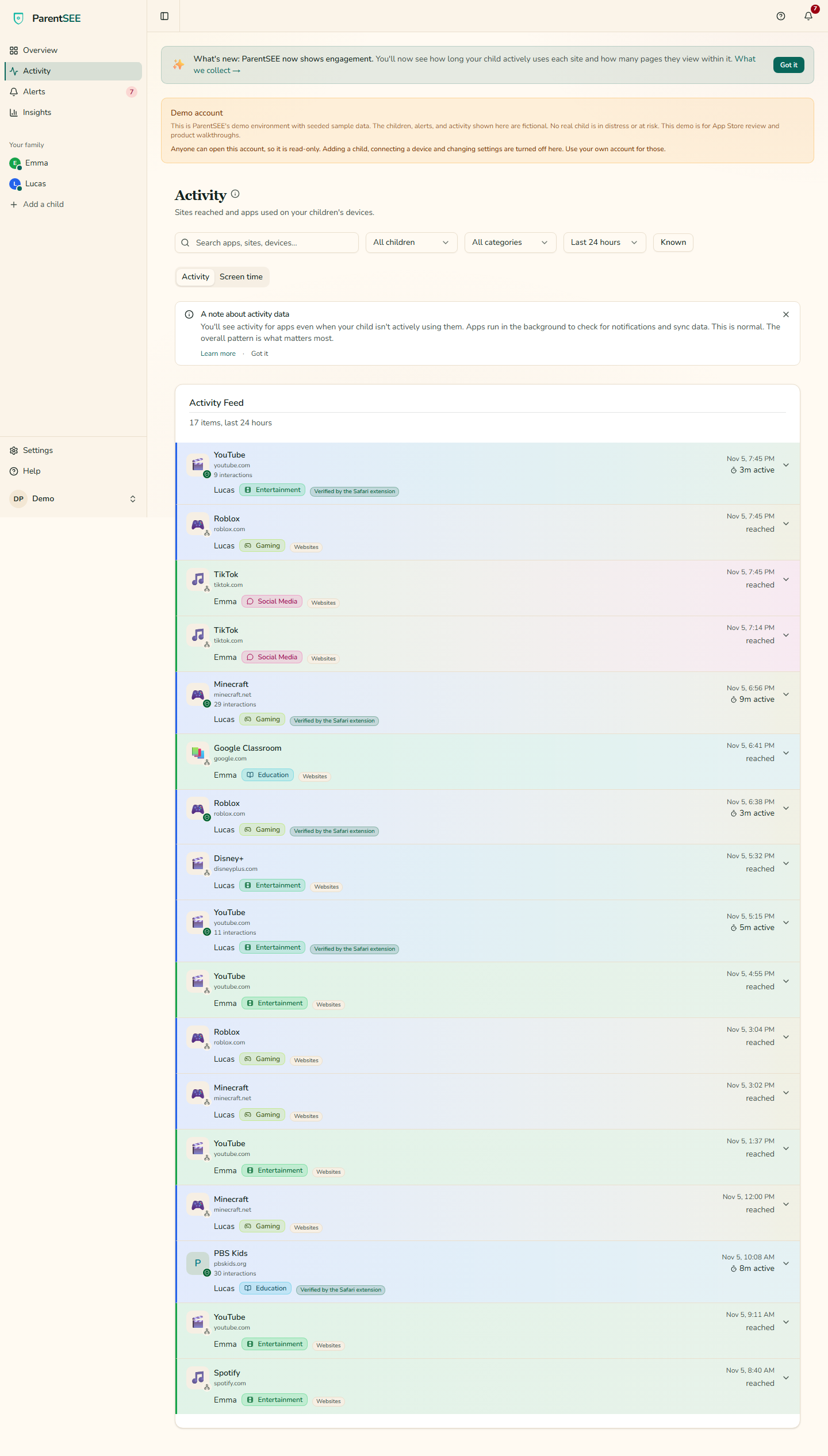
- Which websites they visit
- Which apps they use, and on Android, for how long
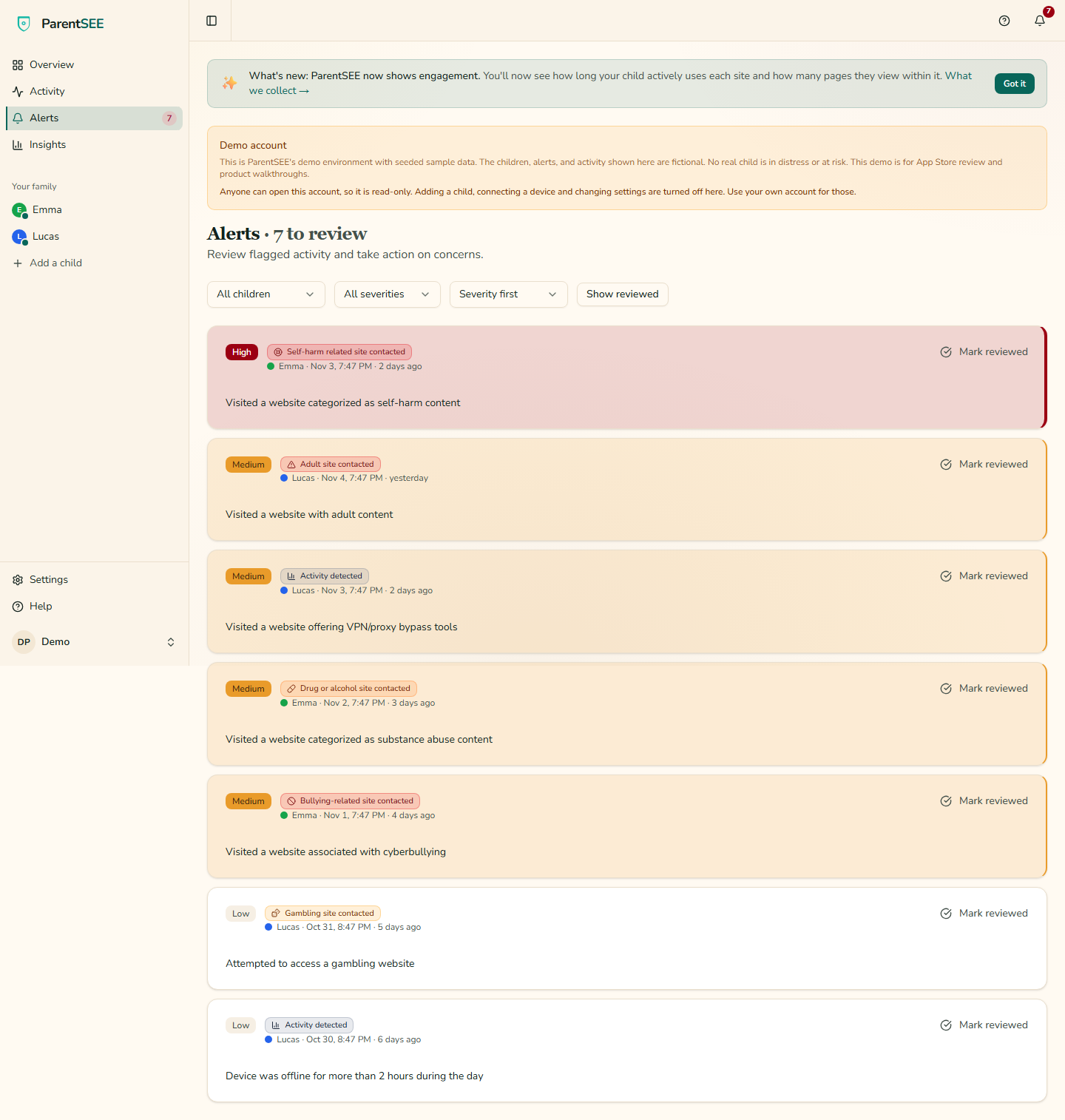
- When concerning content appears
What it never does
- Never reads messages
- No location tracking
- Your child always knows it's on
What parents don't see
- Their messages or chats
- Photos or videos
- What they searched for
- Their passwords
- Their location
- Anything inside apps
Platforms and pricing
Apps for iPhone and Android, a free Safari extension for iPhone and iPad, and the Chrome extension for computers.
iPhone & iPad
The ParentSEE app, plus the free ParentSEE Web Monitor extension for Safari.
Android 9.0 or later
The ParentSEE app.
Windows, Mac or Chromebook
The ParentSEE Monitor extension for Chrome.
On the web
The web dashboard.
On iPhone you see the sites and apps your child reaches, by name, but not whether that was the app or the website. The free Safari extension settles that for browser visits. Time inside apps is Android only.
Every download, with what each one sees
14-day free trial. Card required. Cancel before day 14 and you pay nothing.
- Monthly: $4.99/month
- Annual: $39.99/year ($3.33/month). Save 33%.
One price covers your whole family. Available in the United States.
How it works
- Add your child: enter their name and age.
- Install on their phone: a 2-minute setup, with no complicated router changes.
- See what they're up to: which apps and sites they visit, and on Android, how long they spend in each.
- Android setup video (3 minutes) · YouTube
- iPhone and iPad setup video (2½ minutes) · YouTube
How we test
- We test the way a parent sets it up: a test phone, enrolled like a child's device, visiting websites in Chrome.
- Each test uses a fixed list of popular websites a child could visit.
- Before a test runs, the list and the rules we score it by are written down and sealed, so a result can't be tuned after we see it.
- If we can't see it, we say so, with the test that proved it.
In our own test, ParentSEE saw 97 of 99 websites a child could visit. Measured, not promised. (September 2026)
The founder
Nate Bergstedt
Founder, and a dad
Nate Bergstedt has worked in IT for seven years and holds a master's degree in IT management. He built ParentSEE after sitting on the couch while his two young children played on their tablets, and asking himself how he would know what they were doing.
He knew how heavy-handed most monitoring tools are, and he wanted something else: to bring the conversation back to parents without breaking a child's trust or their freedom to explore. ParentSEE shows where kids go online and never reads what's inside.
“We will never track location, or read messages. We will never break the trust of children and invade privacy. This is not a missing feature, this is our philosophy.”
Logos and screenshots
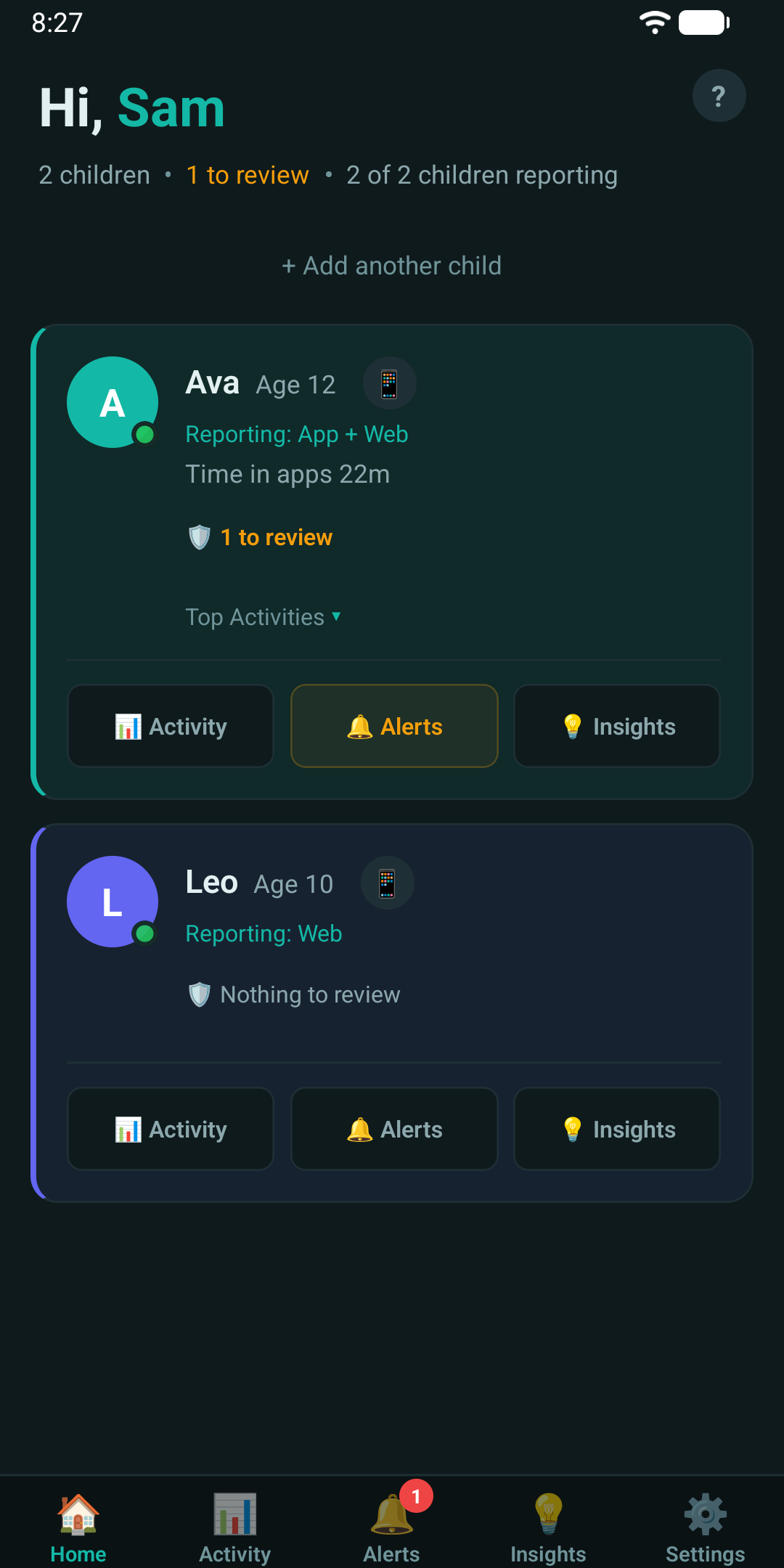
Real screens of the product. The families shown are fictional sample data.


For reviewers
Try the demo: one click, sample data, read-only.
For extended access and a walkthrough, email support@parentsee.com.
Contact
You can reach Nate Bergstedt at support@parentsee.com.